
Making a simple proxy model
Build the light model of the building that ArchviewVR paints your renders onto, and that buyers walk through.
The proxy model is a simple copy of the building. ArchviewVR paints your renders onto it, uses it to stop buyers walking through walls, and shows it in the 3D plan. It never needs materials: they’re ignored.
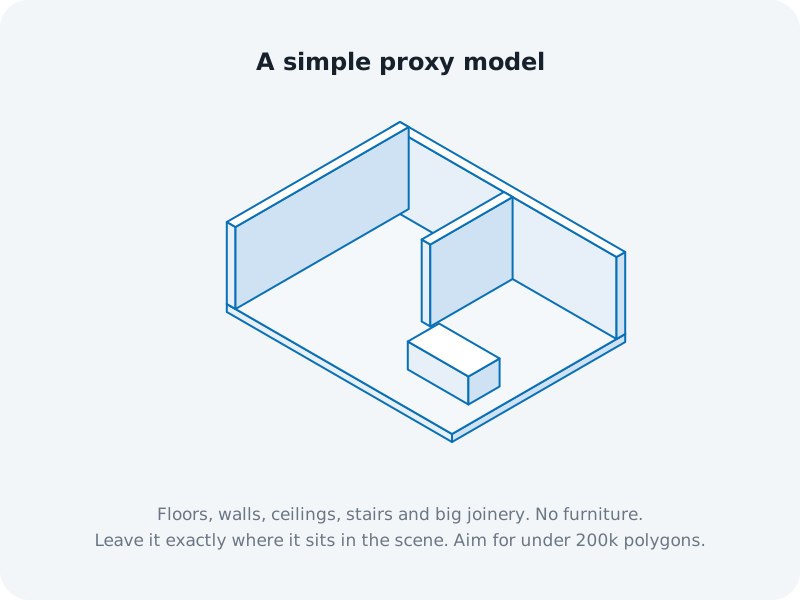
What to include
- Floors, walls and ceilings
- Stairs
- Big joinery, like kitchen islands, benches and built-in robes
- Caps over every window and glass door, so the renders have a surface to land on
What to leave out
- Loose furniture, decor, plants and small detail
- Hidden geometry and anything outside the home you don’t want painted
- Door leaves in doorways buyers should walk through
Warning: buyers can’t walk through anything in the model, and hop only glides to renders with a clear line between them. A closed door or a capped doorway in the proxy blocks that path, even if the render shows it open.
Keep it light
Keep it under 150K polygons. A heavier model still works, but the tour loads slower and may not work on phones. The exporter shows the polygon count as you select the model.
Don’t move it
The model must sit exactly where it is in your scene, in the same units as your cameras. The camera points are measured in the scene, so if the model moves, the renders won’t line up. ArchviewVR converts it to metres for you: it works out whether the scene is in metres, centimetres, millimetres or inches from the size of the building.
Export it
- With the exporter: select the model and press Export model. See Export with the ArchviewVR Exporter.
- By hand: select it and choose File › Export › Export Selected, save it as OBJ in the same units as the scene, into the same folder as your renders.
ArchviewVR also accepts .glb and .gltf if you build the proxy elsewhere.
How it affects the 3D plan
Each surface in the 3D plan takes its colour from the closest render that can see it. Surfaces no render can see, like the top of a tall cupboard or a room with no camera, show grey. Add a render there, or leave that part out of the model. See Grey patches in the 3D plan.