
Publish a tour
Pay for a project by card to take it out of trial and get a link you can share with buyers.
Publishing turns a trial preview into a live tour that anyone with the link can open. Each published project is its own subscription of $29 AUD a month.
Before you publish
- Save your renders. The publish button stays greyed out until the project has saved renders.
- Get the tour ready. Start view, rooms, hotspots, options and the brand kit all work on a trial. Press Open preview on the project page to see it as a buyer would.
Steps
- **Press Publish · $29/mo.** It’s at the top of the project page, and on the project’s card in your projects list.
- Pay by card. A secure checkout page opens. Enter your card details. If you have a promotion code, add it there.
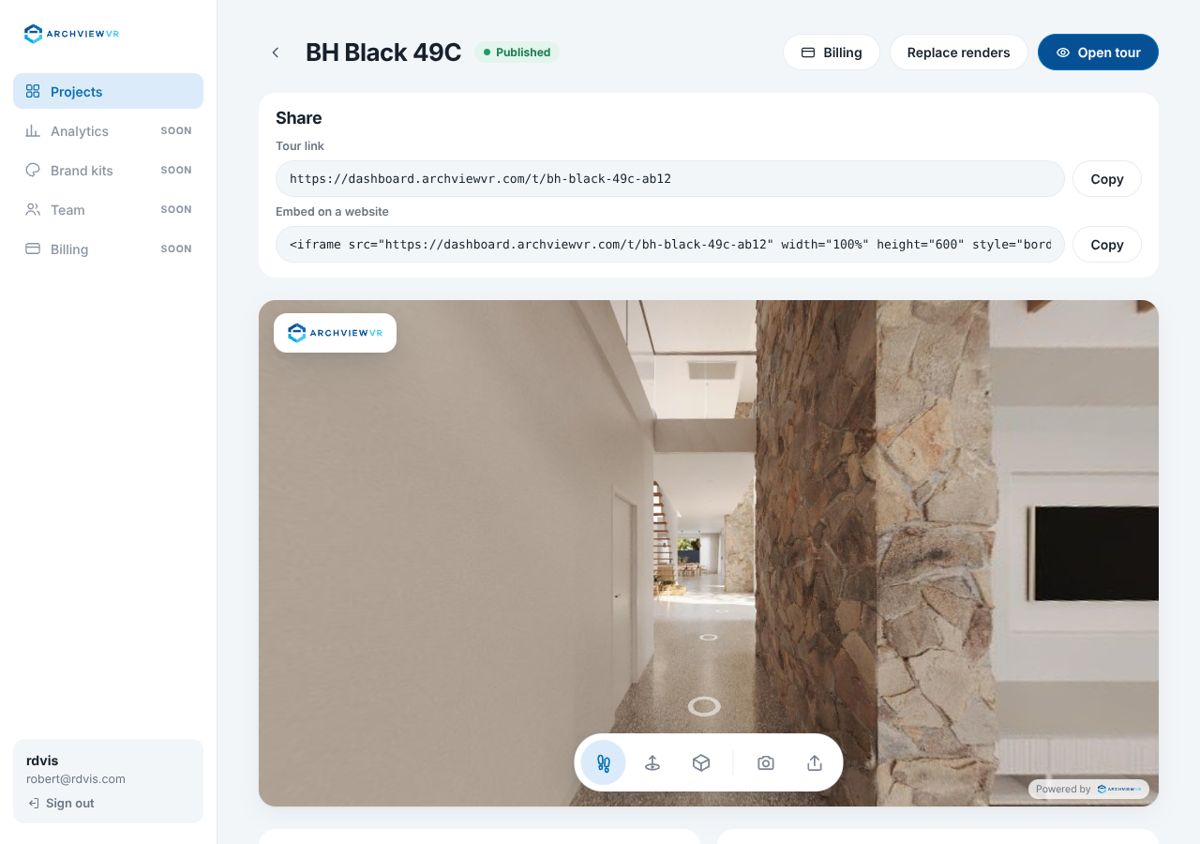
- Wait a few seconds. You come back to the project page, which shows Finishing payment while the tour goes live. When it’s done, the project shows Published.
- Share it. The project page now has a Share box with the tour link, embed code, display suite link and QR code. See Share links and embed on a website.
If you leave checkout without paying, nothing changes and the project stays a trial.
Tip: if you see Publishing is taking longer than usual, your payment went through. Refresh the page after a minute.
What changes when it’s live
- The watermark comes off, and the snapshot and share buttons show (if they’re on in tour options).
- Visits, heatmaps and rooms are counted under Analytics, and enquiries are sent to you.
- The project page buttons become Replace renders and Open tour. Opening the tour from here doesn’t count as a visit.
- Every tour still shows Powered by ArchviewVR in the bottom-right corner.
Add the rest of your renders
A trial only keeps its first 10 renders. After you publish, press Replace renders and drop the whole folder again to add the rest. Renders with the same names replace the saved ones, so your setup stays. See Replace or add renders later.
Changes after publishing
You can keep working on a published tour. When you save in Set up tour, Brand kit or the check step, the live tour updates straight away and keeps the same link. You’ll see Saved. The live tour is updated.
Publish again
If a project’s subscription ends, the tour pauses and the button reads Publish again · $29/mo. Publishing again brings back the same link. See When a tour pauses.